Connect. Detect. Go.
Find running emulator instances automatically. Select your instance without hunting for installation paths.
AUTOMATIC INSTANCE DETECTION
 CLASHPILOT
Less repetition. More control. Bring your Home Village sessions together with ClashPilot for Windows.
THE CLASHPILOT COMMUNITY
Get help, see updates, ask questions, and connect with other ClashPilot users.
 LDPlayer
 BlueStacks
BUILT AROUND YOUR VILLAGE
Find running emulator instances automatically. Select your instance without hunting for installation paths.
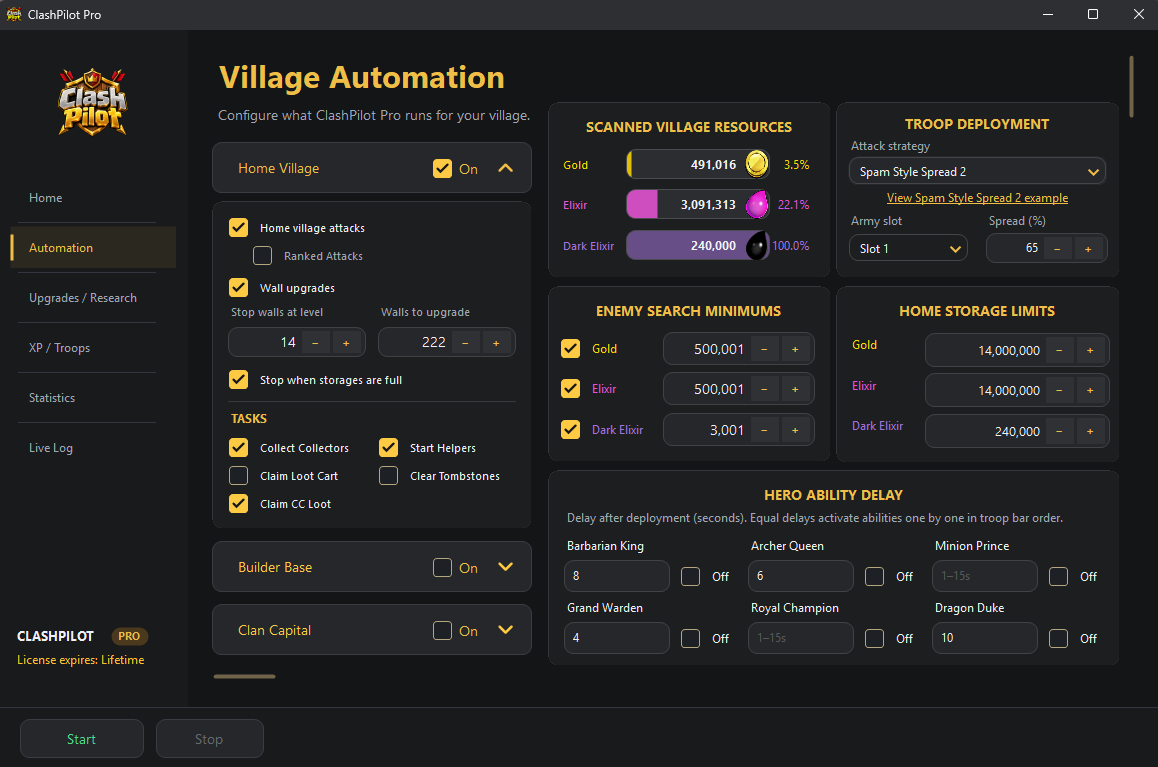
Configure Home Village tasks, upgrade your heros, pets, buildings, defenses, troops and more.
Automate attacks and upgrade heroes, pets, defenses, and more with settings and priorities you control.
READY WHEN YOU ARE
Your first session starts with a few simple steps.
Choose Lite or ProOpen MuMu Player, LDPlayer, or BlueStacks and start the Android instance you want to use.
Open ClashPilot and choose the Android device it detects automatically.
Configure your Home Village settings and start your session. Add a Pro key anytime when you want more features.
MEET YOUR NEW COPILOT
Get ClashPilot and make yourself at home.
CLASHPILOT
Activate ClashPilot PRO on your Windows PC and unlock the full automation toolkit.